
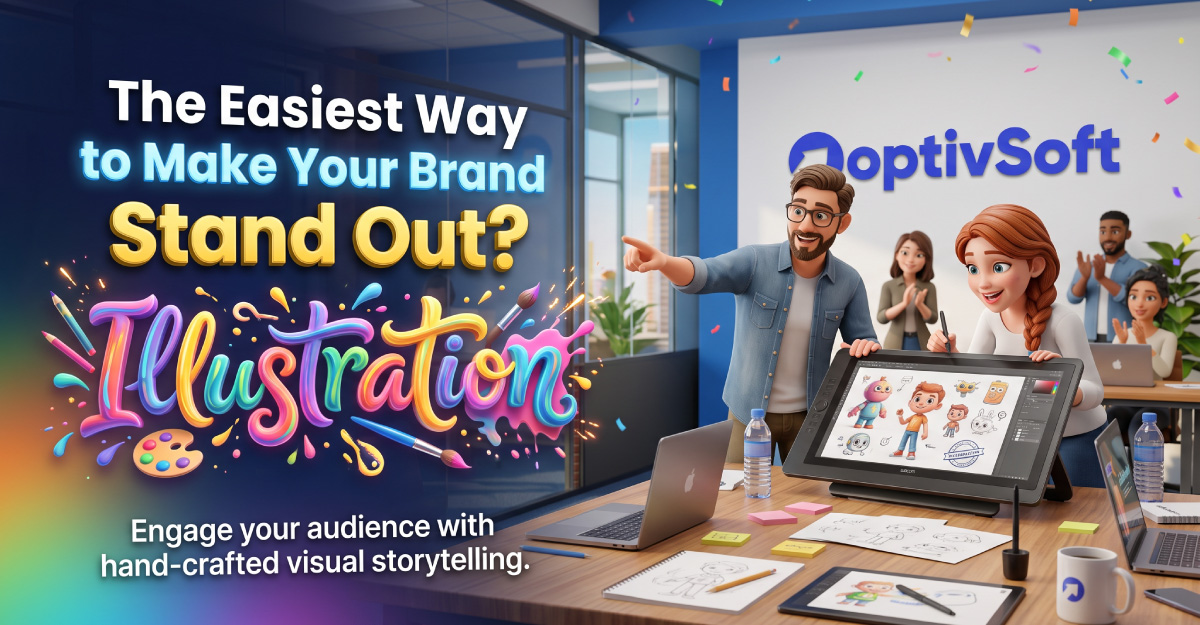
You are preparing a new website or campaign, and the images feel familiar. The layout looks professional, but the visuals could belong to several other businesses. What would make them feel connected to yours?
Brand illustration is one option to explore. You can commission artwork around a particular message, audience and setting instead of choosing an image first and adapting the content around it.
This guide explains how to plan that work, brief an illustrator and decide whether the finished artwork serves your business. It includes an original example you can adapt for your own project.
What Is Brand Illustration?
Brand illustration is artwork used as part of a business’s visual communication. It might appear on a website, in a campaign, on packaging or within product instructions.
A consistent style can become part of a brand’s identity. Illustration can also help communicate a story or explain an idea, depending on its purpose and execution.
For your project, decide what the artwork should help a viewer understand. “We need an image here” is a starting observation. A stronger brief explains the message and why that image belongs in the experience.
Start with a Communication Problem
Choose a specific piece of content that needs visual support. Perhaps customers misunderstand a service process, or your campaign needs a scene that reflects a particular audience.
Write down the question the image should answer. Then decide what someone should be able to explain after seeing it.
For a hypothetical home-services business, the question could be: “What happens after I request an appointment?” The artwork might accompany a short explanation of scheduling, the visit and the follow-up.
That task gives the illustrator something concrete to work with and gives your team a basis for reviewing the result.
Decide Where the Artwork Will Appear
List the intended placements before commissioning. Include the website section, email, social post or printed material you expect to use.
For each placement, note the available space and nearby text. A detailed landscape scene may need a different treatment from a small square image.
Ask the illustrator how the concept could work across those formats. Identify which versions must be delivered and which would require additional work.
Review the artwork in its actual layout. An image viewed alone may not reveal whether a headline, button or crop interferes with an important part of the composition.
Choose a Style That Fits the Message
Collect references and describe what you like about them. You might prefer their restrained palette, expressive characters or treatment of objects.
Use references to explain direction rather than asking an artist to copy another person’s work. Invite the illustrator to propose an approach suited to your brief.
Describe the tone in practical terms. If you want a friendly image for a serious service, explain what would feel inappropriate or misleading.
When reviewing a portfolio, look for work that suggests the artist can handle your subject and required formats. Ask about their role in any relevant project and how they approached it.
Build a Useful Illustration Brief
A brief should give the artist enough context to propose a concept. Include:
- The business and audience.
- The message the artwork needs to communicate.
- The intended placements and required formats.
- Brand materials and relevant references.
- Any facts, objects or details that must be accurate.
- The budget range, schedule and review process.
- The planned uses to discuss in the agreement.
Also name the person who will approve the work. Ask that person to gather internal feedback before sending comments to the artist.
If a requirement is still undecided, mark it clearly. An unresolved product detail or layout can affect the artwork, so discuss it early.
An Example: Planning a Website Illustration
Imagine a small consultancy introducing a project-planning service. It wants a homepage image that accompanies an explanation of how it helps a client turn an unclear request into an agreed plan.
The team could brief the illustrator to show a collaborative planning scene. It would specify the service context, the tone and the space needed for the surrounding content.
At the sketch stage, the team checks whether the scene communicates collaboration and planning. Later reviews cover the visual treatment and the fit within the page.
The team could request a separate crop for an announcement post. It should include that use in the original discussion rather than assume every variation is part of the same fee.
Review Concepts Before Polishing Details
Ask the artist to explain the proposed review stages. Establish when you will approve the concept, composition and finished treatment.
During an early review, focus on the message. Can the proposed scene communicate the intended idea? Are important elements present? Does anything suggest the wrong meaning?
Give feedback that identifies the issue. “The customer seems excluded from the discussion” is easier to interpret than “make it more engaging.”
Once a concept is approved, record that decision. If your team changes direction later, discuss the effect on cost and schedule before asking for a full revision.
Create Guidelines for Future Artwork
If you plan several illustrations, ask what guidance will help future pieces feel related. You might document colors, character proportions, backgrounds and recurring objects.
Include examples showing how the artwork should be placed alongside text. Explain what can be cropped or adapted and what should remain intact.
Keep the guidance practical enough for the people producing marketing materials. A short set of usable examples may be more helpful than a long document nobody consults.
For OptivSoft readers, a sensible first step is one completed illustration and a few approved applications. Use those to judge whether you want to commission a larger set.
Illustration, Photography or Another Approach?
Choose the medium according to what you need to show. If customers need to inspect an actual product, location or completed project, plan suitable factual visuals.
If the content concerns a process or an imagined situation, discuss whether an illustration would help explain it. You can use several media within a website when each has a defined purpose.
For any proposed image, ask what it communicates and what a viewer might mistakenly infer. That question helps you assess stock assets, commissioned art and generated concepts on the same practical basis.
Check permissions and publishing requirements for the material you choose. Treat an attractive preview as something to review before publication.
Plan for Accessibility and Different Formats
Keep important information available in the accompanying content. Work with your web team on an appropriate text alternative for an informative image.
Review the artwork at the size visitors will actually see. Check whether key details survive a small-screen layout or a cropped placement.
If the image includes instructions, test the complete explanation with people unfamiliar with the project. Ask them what they understand instead of telling them what the image is meant to say.
For animation, discuss the additional production work and how it will be presented. Include those requirements in the scope if motion is part of the plan.
How to Budget for Brand Illustration
Illustration fees vary with complexity, the artist and the planned usage. Request a quote for a defined scope instead of assuming a universal price per image.
Ask the proposal to identify deliverables, review stages and included revisions. Clarify how additional versions or a changed brief will be handled.
Discuss intended usage and any restrictions directly with the artist. Confirm which files will be supplied and what adaptations your team can make.
You can begin with one priority placement, assess the result and plan further work from there. Keep enough budget for the formats you actually need rather than commissioning a large set without a deployment plan.
How to Evaluate the Result
Return to the communication problem in your brief. Ask reviewers what they understand from the complete page or campaign, including the illustration.
Record misunderstandings and compare them with the intended message. If you measure campaign performance, avoid attributing every change to the artwork when other elements changed too.
Also review the practical side: Can your team use the delivered assets? Do the formats fit? Is the usage agreement clear?
A useful project produces artwork that fits its purpose and a process your team can follow again. Use those findings to decide whether a broader illustration system makes sense.
Frequently Asked Questions
Common Question
Answers to common questions about planning and commissioning brand artwork.
It is illustration used in a business's visual communication. Define the message and placement before deciding what artwork to commission.
No. Choose them when they serve a clear purpose. Assess the content, audience and available alternatives before committing.
Include the audience, message, placements, formats, references, budget and approval process. Identify details that must be accurate.
Discuss the intended uses and required versions with the artist. Confirm the agreement and deliverables before adapting or publishing the artwork elsewhere.
Request a quote for your specific scope and usage. Check what revisions and formats are included and how extra work is priced.
Review relevant work, explain your requirements and discuss the artist's process. Choose someone whose approach fits the task and agreed scope.
Test it in the intended context. Ask viewers what they understand, review practical usability and compare the result with the original brief.
