
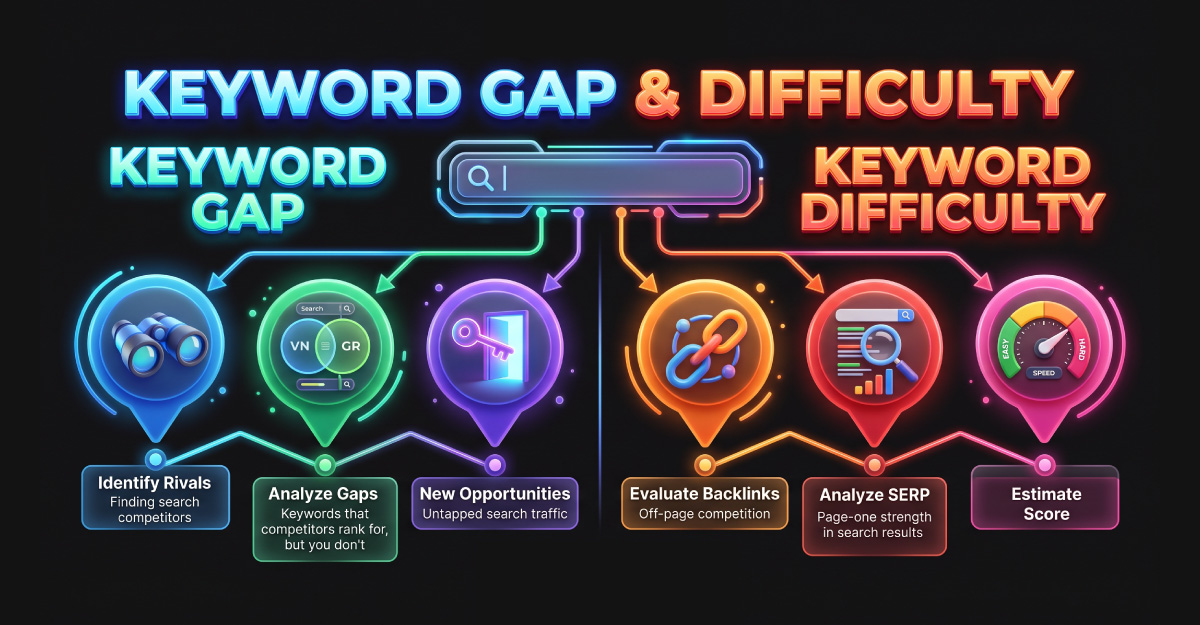
A competitor ranks for a topic your website barely covers. Your SEO tool also gives that keyword a low difficulty score. Should you publish an article immediately?
First, check whether the topic fits your audience, what the searcher expects, and whether you already have a relevant page. A gap and a difficulty estimate provide useful clues, but they do not make the publishing decision for you.
This guide explains how keyword gap analysis and keyword difficulty work, what separates them, and how to combine them into a practical content planning process.
What Is a Keyword Gap?
A keyword gap is a difference between your website’s search visibility and that of comparison websites. Analysis can reveal queries competitors rank for that your site does not, along with shared queries where they perform better.
The comparison depends on the chosen websites, market, and dataset. A gap report describes the coverage available in that report, rather than a complete record of every search.
For example, an automation agency might find that comparison sites appear for questions about implementation costs. That observation suggests a topic to investigate. It does not establish that the topic will generate enquiries for the agency.
Common Keyword Gap Labels
Reports can use different terminology. In Semrush, the following labels distinguish useful comparison groups:
| Label | Meaning | Question to ask next |
|---|---|---|
| Missing | All selected competitors rank, but your site does not. | Does the topic fit our audience? |
| Untapped | At least one selected competitor ranks, but your site does not. | Is this a useful opportunity or an unrelated subject? |
| Weak | Your site ranks below the selected competitors. | Can an existing page better satisfy the query? |
Check each tool’s definitions before comparing reports. Also inspect your own website: a missing ranking does not necessarily mean a missing page.
What Is Keyword Difficulty?
Keyword Difficulty, commonly abbreviated as KD, is an SEO tool’s estimate of how challenging it may be to rank for a query. It helps filter a large candidate list into something you can review.
The calculation is specific to the tool. A score is not a Google metric, and scores from different platforms should not be treated as interchangeable.
Ahrefs describes its KD as an estimate of ranking in the top ten organic results. Its calculation uses referring domains pointing to those ranking pages and does not include on-page SEO factors.
This makes KD useful for understanding one aspect of competition. It leaves other questions for you to investigate, including relevance, content quality, and what your website can contribute.
Keyword Gap vs. Keyword Difficulty
A gap identifies a difference worth investigating. Difficulty estimates help assess the competitive context of a candidate query.
| Comparison | Keyword Gap | Keyword Difficulty |
|---|---|---|
| Main question | Where does our visibility differ from competitors? | How challenging does this tool estimate ranking to be? |
| Starting input | Your website and selected comparison sites. | A query in a chosen tool and market. |
| Useful output | Candidate topics and page improvements. | A signal for filtering and further review. |
| Important limitation | A gap may be irrelevant to your business. | A low score does not guarantee rankings. |
Use both as research inputs. The final decision should explain why the topic matters and how the planned page will serve its reader.
Why Low Difficulty Does Not Automatically Mean a Good Opportunity
A keyword may look accessible while attracting the wrong audience. If the subject has little connection to your services, ranking for it may not support your business goals.
A low estimate can also coexist with strong competing pages. Review the actual results before deciding that the topic is easy.
Imagine two illustrative candidates: “free automation icons” and “CRM integration maintenance.” The first might attract designers looking for downloads. The second might concern buyers evaluating an ongoing service.
No demand or difficulty data is claimed for these examples. They show why a keyword’s purpose matters alongside its estimated competition.
How to Find Useful Keyword Gaps
Define the audience: Write down who the content should help and what decision they are making. This prevents an unrelated competitor topic from entering your plan without a reason.
Choose relevant comparison sites: Use websites appearing for subjects connected to your offering. Search competitors can include publishers and software vendors as well as businesses selling a similar service.
Set a consistent scope: Record the location, collection date, and whether you are comparing domains or particular sections. Keep these details with the exported data.
Review candidates manually: Read the ranking page and inspect your own coverage. Classify the possible action as an update, a new resource, or further research.
Remove poor fits: Exclude queries outside your audience, subjects you cannot support accurately, and brand-specific searches without a clear editorial purpose.
Keep a reason for each decision. That record helps a writer or reviewer understand the plan without repeating the whole analysis.
How to Assess Difficulty Beyond the Score
Open the search results and examine what ranks. Record whether the pages are tutorials, comparison articles, service pages, or tools.
Then review the answer each page provides. Does it address the main question clearly? Are its examples understandable? Does it need updating?
Look at page-level backlink information where available, while remembering that a count alone does not explain every ranking difference. Keep tool metrics separate from direct observations.
Assess your own contribution. A useful addition might be a tested example, a clearer explanation, or a decision table supported by actual experience.
Write a brief feasibility note: what you can produce, what evidence you need, and who can maintain it. “KD looks low” is not a sufficient content brief.
A Practical Prioritization Framework
For each candidate, answer the following questions before assigning a publishing date:
| Review area | Decision question |
|---|---|
| Audience fit | Which customer problem does this address? |
| Intent | What should the visitor be able to understand or do? |
| Existing coverage | Can we improve a current page? |
| Competition | What do the metrics and actual results suggest? |
| Contribution | What useful evidence or explanation can we provide? |
| Maintenance | Who owns updates after publication? |
Choose a manageable group of tasks. Some candidates belong in the current plan, while others need more research or are better left aside.
If you use internal scores, document how you assign them. A team’s planning score is a judgment, not a measured ranking probability.
New Page or Existing-Page Update?
A keyword gap can suggest either action. First, identify whether an existing page already serves the same reader need.
If your general automation guide lacks a short explanation of maintenance responsibilities, an update may be sufficient. A detailed troubleshooting tutorial could require its own resource.
Inspect the overlap before creating another page. The purpose is to make each resource useful and distinguishable, rather than assigning a new URL to every wording variation.
A content brief should explain that decision. Include the main question, supporting sections, examples to prepare, and any existing page that needs revision.
An Example for a Service Business
Suppose a website offers CRM implementation and publishes introductory software guides. A hypothetical review might produce the following plan:
| Candidate topic | Possible gap | Proposed action |
|---|---|---|
| CRM implementation costs | No useful budget explanation. | Consider a guide with clearly stated cost factors. |
| CRM setup process | An existing service page is unclear. | Explain the steps and client responsibilities. |
| Duplicate contact handling | A general guide lacks practical detail. | Prepare a tested example before choosing the page format. |
These are illustrative decisions, not researched keyword findings. Actual gap status, demand, and difficulty would need verification for the chosen market.
Common Mistakes to Avoid
Treating every gap as a publishing assignment: A competitor may cover subjects that do not fit your business. Require a clear audience rationale.
Using one KD threshold for everything: A cutoff can help filter data, but different topics deserve different editorial decisions. Do not let the filter replace inspection.
Comparing numbers without checking methodology: Record which tool produced the score. Keep comparisons consistent and avoid interpreting equal numbers as equal measurements.
Promising rankings from a low score: Explain uncertainty to stakeholders. Research supports a plan; it cannot guarantee the result.
Publishing without an update owner: Technical guidance and pricing information need maintenance. Assign responsibility before adding them to your calendar.
How to Measure the Result
Record the baseline and publication date. Review search visibility and relevant business outcomes over time, using consistent reporting settings.
If a page receives visits, check whether it satisfies the reader and offers a suitable next step. If visibility remains weak, revisit the topic, coverage, and broader technical context.
Use the findings to improve the next decision. A useful research process leaves you with a clearer explanation of what worked and what remains uncertain.
Frequently Asked Questions
Common Question
These answers clarify what the two research concepts can tell you and where manual judgment is still needed.
A gap compares your visibility with selected competitors. Difficulty is a tool-specific ranking estimate for a query. Use the gap to find candidates and difficulty as one part of reviewing them.
No. Your website may already have a relevant resource. Review whether an update can satisfy the reader’s need before creating another page.
There is no universal score suitable for every website. Interpret the estimate using the tool’s methodology, the search results, and your ability to produce a useful page.
Yes. A metric may omit important aspects of competition. Strong brands, useful content, or an unsuitable page format can make the opportunity more challenging than the number suggests.
No. Tools use different data and methods. Record the source and compare scores within a consistent research setup rather than treating them as interchangeable.
Consider them when they fit your audience and you have a credible plan to address the topic. You can also retain them for later research while completing more feasible work.
A practical order is to identify relevant gaps, remove poor fits, and then review difficulty and the actual results. Finish by deciding what useful page or update you can create.
