
A campaign report rarely ends with one question. You check spending, notice a change in conversions, compare devices and then wonder whether the same pattern appears across other campaigns. Each answer leads to another filter or export.
Google Ads MCP Server gives compatible AI assistants a way to work with account data through a conversation. You can ask a focused question, review the returned information and follow up without preparing a separate spreadsheet for every step.
For marketers and business owners, the useful question is how well this approach fits their reporting work. This guide explains the server, its limitations and a practical way to evaluate it.
What Is Google Ads MCP Server?
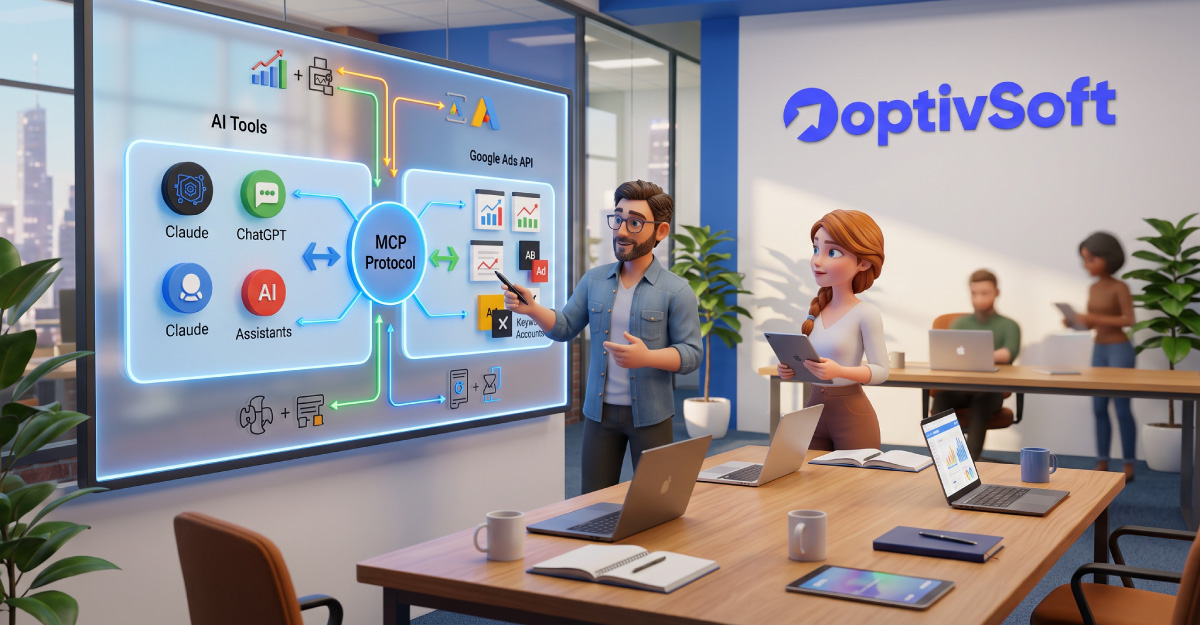
Google Ads MCP Server is a bridge between an MCP-compatible AI application and the Google Ads API. It lets an assistant retrieve and analyze advertising data in response to natural-language requests.
The documented release is read-only. It cannot change bids, pause campaigns or create assets. Keep that boundary in mind when choosing a use case.
It is a developer integration rather than a standalone chatbot. You need an AI host, a configured server and authorized account access to use it.
How Does MCP Fit Into the Workflow?
Model Context Protocol, usually shortened to MCP, provides a standard way for AI applications to connect with external tools. In this workflow, the assistant interprets your question, uses the server to request data and turns the returned results into an answer.
A useful mental picture is a conversation with an assistant that has access to a reporting connection. Ask for evidence alongside its explanation so you can check how it reached a conclusion.
For example, “Why did performance change?” is a broad question. “Compare campaign A’s spending and conversions for the last two completed weeks” gives the investigation a clearer starting point.
The Core Tools Available
The documented server exposes three main tools:
list_accessible_customersidentifies accounts available to the authenticated user.searchruns Google Ads Query Language requests.get_resource_metadatadescribes resource fields available for querying.
Google Ads Query Language, or GAQL, allows requests for resource information, metrics and segments. Field compatibility matters: a query must use a valid combination of resources and fields.
You do not need to begin by memorizing query syntax. During evaluation, ask the assistant to explain which fields it requested and how those fields answer your question. That explanation makes a report easier to review.
Practical Ways to Use Google Ads MCP Server
The examples below are suggested reporting workflows. Test each against the data available in your account rather than treating the prompt as a guaranteed result.
Prepare a Weekly Campaign Review
Choose a fixed reporting period and a small set of metrics your team already uses. Ask for a campaign-level summary, then request a shorter version for your weekly meeting.
A useful prompt is: “For account [customer ID], review the last completed Monday-to-Sunday period. Show campaign spending, clicks and conversions. Identify questions we should investigate. Do not infer causes without evidence.”
Keeping the reporting period consistent makes successive reviews easier to compare. Include the dates in the output so someone reading it later knows exactly what it covers.
Investigate a Performance Change
Start with the observation you can verify. Perhaps spending rose while reported conversions stayed flat. Ask for a comparison, then narrow the investigation by campaign or another relevant breakdown.
Separate three things in the response: observed differences, possible explanations and information needed to test those explanations. This keeps an appealing story from becoming an unsupported conclusion.
If the assistant recommends a campaign adjustment, treat that as a proposal for the team to review. A reporting connection can provide evidence without deciding your business priorities.
Make Client Reports Easier to Understand
For an agency, try producing two versions of the same review: a detailed internal report and a short client explanation. Both should use the same verified figures.
Ask the assistant to remove jargon from the client version and retain the decisions the client needs to understand. Review any explanation of what caused a change before sharing it.
Keep each client’s account identifier explicit. Similar account and campaign names are a good reason to check the selected account before starting an analysis.
Benefits for Marketing Teams
The clearest potential benefit is less repetitive reporting work. Start by measuring the time spent on a task today, then compare that with the time required to prepare and verify an AI-assisted version.
A conversational workflow can also make follow-up questions easier to explore. Instead of designing the whole report in advance, you can ask a focused question and decide what to examine next.
Shared prompt templates may improve consistency across a team. Agree on the reporting period, metric definitions and required output before using a template repeatedly.
These benefits should be assessed in your own workflow. An answer that arrives quickly but needs extensive correction may save little time.
How to Set Up Google Ads MCP Server
The server is Python-based and supports local use or cloud deployment. Google’s guide describes OAuth or service-account authentication and includes a local configuration using pipx, a Google Cloud project ID and application credentials.
The latest guide uses project-based API access and says developer tokens are no longer required for that version. Match the instructions to your installed release, especially when consulting older tutorials.
Use this preparation sequence:
- Choose the AI application you intend to use and check its MCP configuration instructions.
- Prepare the Google Cloud project and authentication required by your deployment.
- Confirm that the authenticated identity can access the intended advertising account.
- Configure the server using the current official instructions.
- Test account discovery, followed by a small reporting request.
- Compare the returned figures with a corresponding account report.
A technical teammate can help with installation and authentication if those tasks are unfamiliar. Write down the chosen deployment method and version so future troubleshooting starts from a known setup.
Local Hosting or Cloud Deployment?
Consider local hosting when evaluating the integration for one person’s workflow. A small trial makes it easier to understand the configuration before introducing a shared service.
A shared deployment deserves a clear owner. Decide who maintains it, who receives access, how credentials are managed and how changes are tested.
Choose based on the people who will use the connection and the team’s ability to maintain it. A deployment that fits a developer’s workstation may need additional planning before becoming a routine agency tool.
Access Levels and API Limits
Google Cloud project access levels determine which accounts can be queried and the applicable operation allowance. Test access covers test accounts; production access requires a suitable level such as Explorer, Basic or Standard.
Rate limits and feature restrictions can still apply. A tool connection does not remove them.
For a reporting trial, keep requests focused. Ask for the period and fields you actually need rather than retrieving an entire account history for a narrow question. If a request fails, capture the error and investigate the access or query issue before repeating it.
Limitations to Keep in Mind
The assistant can misunderstand an ambiguous request. Specify the account, dates and meaning of “performance” instead of assuming it will choose the same interpretation as you.
Metric definitions deserve attention. Ask which conversion measure and reporting settings the analysis uses, particularly when comparing it with another report.
Small samples can support weak recommendations. Request the figures behind a claim and ask whether the evidence is sufficient for a decision.
Your business context also matters. Tell the assistant whether you care most about qualified leads, profitable sales or another objective. Without that context, a polished summary may focus on a metric that does not settle your question.
Finally, define who checks the output. A useful team workflow should include a person responsible for reviewing figures and conclusions before they reach a client or decision maker.
Google Ads MCP Server Pricing and Costs
The official repository provides the software under an Apache 2.0 license. Budget for the complete workflow rather than treating available source code as proof that everything is cost-free.
Your estimate should include any AI application subscription or model usage, hosting, setup assistance and maintenance time. Advertising spend is a separate budget.
Check the current terms of the services you choose before deployment. For an initial trial, record operating costs alongside time saved. That gives you a better basis for deciding whether to expand.
Who Should Try It?
Consider a trial if your team repeatedly answers advertising questions and can compare the output with a trusted report. Agencies, in-house analysts and developers supporting marketing teams can choose a task that already has a clear review process.
Define success before starting: accurate figures, a useful explanation and less total preparation time. Try one account and one recurring task, then expand when the results meet those criteria.
For OptivSoft readers, the strongest starting point is a report you already understand well. That makes both the value and the mistakes easier to see.
Frequently Asked Questions
Common Question
Answers about Google Ads MCP Server and everyday reporting use.
It connects compatible AI applications to the Google Ads API for account data retrieval and analysis. It requires configuration and authorized access.
The documented release is read-only. Use it for analysis; it cannot perform campaign changes.
Check your application's MCP support and configuration requirements first. A chat interface alone does not establish compatibility.
GAQL knowledge helps you review and troubleshoot requests. You can begin with natural-language reporting questions, then examine how the assistant queries the data.
Account for your chosen AI application, hosting and maintenance. Check current service pricing and keep advertising spend separate.
Use one account and a short, clearly defined reporting period. Compare a few familiar metrics with your account report before trying a broader investigation.
There is no guaranteed improvement. Evaluate whether it helps your team prepare accurate reports and investigate questions more efficiently.
