
Someone searching for “what is n8n” needs an explanation. Someone searching for “n8n automation consultant” may need help implementing it. Both searches concern the same platform, but the pages that satisfy them will look different.
That difference is where useful keyword research begins. It helps you understand the language people use and the problem they want to solve. For a business website, that understanding guides what you publish and how you organize your services.
This guide explains common keyword categories, with examples relevant to websites, marketing, and automation. Use it to plan content around real questions rather than collecting phrases to repeat.
What Is a Keyword in SEO?
A keyword is a word or phrase used to describe a search topic. In SEO, it usually refers to a query you want a page to address, such as “website maintenance” or “how to automate lead follow-up.”
A keyword can contain several words. It does not need to appear in your content in every possible variation. Google’s language systems can connect a page with related queries even when the exact wording differs.
For example, a page explaining appointment automation might answer questions about reminders, scheduling, and booking integrations. The useful connection is the subject and the reader’s need.
Why Do Keywords Matter?
Keywords provide clues about what an audience needs. They help you decide whether to create an explanation, comparison, service page, or tutorial.
Imagine a business offering website services. “How much does a small business website cost?” could support an educational guide. “Website design services” might belong on a page explaining the offer, process, and how to enquire.
These are illustrative phrases, not researched ranking opportunities. Before choosing them, check actual search results and available demand data.
Traffic is only part of the decision. Ask whether the visitor attracted by a topic has a reason to care about your business.
Keywords Can Belong to More Than One Category
Keyword categories describe different properties. A phrase can be branded, commercial, and the primary target of a page at the same time.
Consider “GoHighLevel pricing.” It contains a brand and suggests someone evaluating cost. On a pricing guide, it could also be the main topic.
Use categories to clarify decisions. They are not separate boxes that every phrase must fit into exactly once.
Search Intent: What Does the Searcher Want?
Search intent is the purpose behind a query. Four common categories provide a useful starting point:
| Intent | Purpose | Example |
|---|---|---|
| Informational | Learn something or solve a question. | What is workflow automation? |
| Navigational | Find a particular website or destination. | OptivSoft website |
| Commercial investigation | Evaluate options before deciding. | n8n vs Make |
| Transactional | Take an action, such as buying or hiring. | Hire a WordPress developer |
Intent can overlap. Search results may contain guides, tools, and service pages for the same query. Review what appears rather than assigning intent from a single word.
For a comparison query, discuss meaningful differences and who each option suits. For a hiring query, explain the service and next step clearly.
Seed Keywords: Where Research Starts
Seed keywords are starting topics for research. Examples for a digital services business might include “web development,” “CRM,” and “automation.”
Write down the services you offer and the problems customers describe. Then explore related questions and more specific phrases. Your starting topic does not have to become a page target.
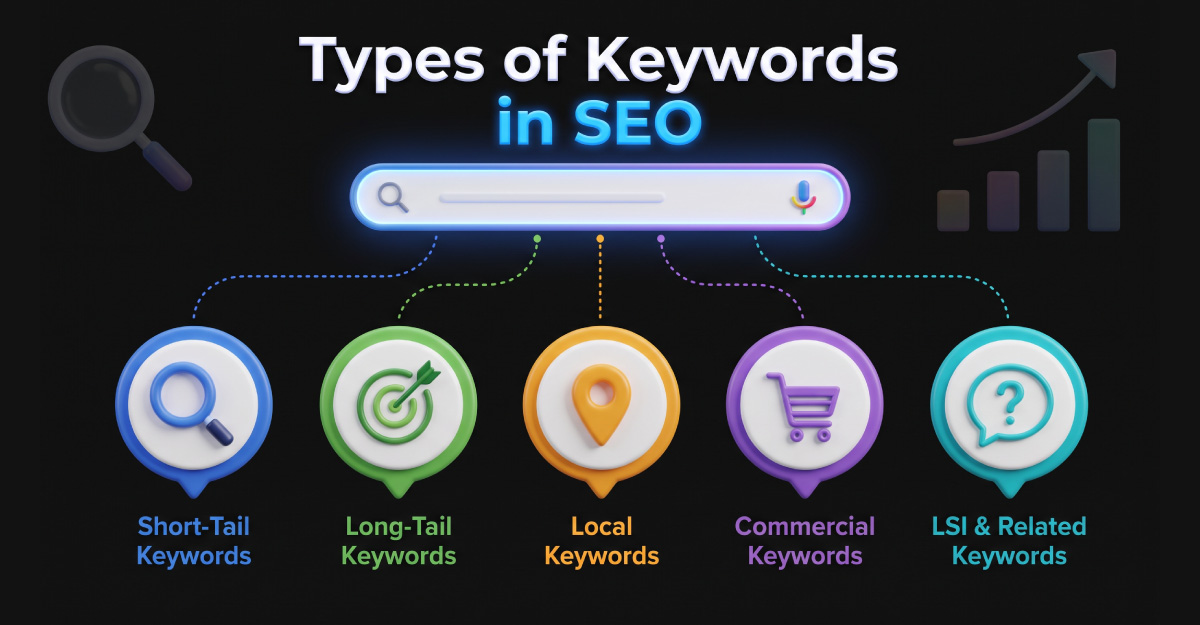
Broad Keywords and Long-Tail Keywords
A broad term such as “automation” leaves many possibilities open. The searcher might want an industrial explanation, a software tool, or a business service.
Long-tail keywords refer to queries with relatively low individual search demand. They are often specific, but word count alone does not define them. A long phrase is not automatically low-volume, and a short phrase can have little demand.
“Automate consultation reminders for a design studio” is an illustrative specific query. Its actual demand would need verification.
Some low-volume queries describe distinct topics. Others are alternative ways of asking a broader question. Before creating separate pages, check whether existing results suggest the same underlying need.
Specificity also does not guarantee easy rankings. Evaluate the pages already appearing and what it would take to provide a useful alternative.
Niche and Local Keywords
Niche keywords describe specialized audiences or use cases. “CRM for architecture firms” narrows the audience more than “CRM.”
That narrower focus can guide a more useful article. You could discuss enquiry handling, proposal stages, and project handover for that audience instead of listing generic software features.
Local searches add a geographic need. “Website designer in Dhaka” indicates a different context from a general design query.
If you serve a location, describe that service accurately. Do not create near-identical pages for many cities simply by replacing the location name. Each page should offer something relevant to its readers.
Branded and Non-Branded Keywords
Branded searches contain a brand name, such as “OptivSoft services.” Non-branded searches describe a subject or service without naming a particular business.
For planning purposes, separate the two. A person searching for your company may already know you. A person searching for a service may still be choosing a provider.
Your website should make both journeys straightforward: finding company information and understanding what you offer.
Primary and Secondary Keywords
A primary keyword represents the main focus of a page. Secondary keywords are closely related terms that help address the same topic.
For an introductory n8n guide, the focus might be “what is n8n.” Related questions could concern hosting, pricing, and workflows. These suggest sections readers may need.
Choose a main purpose for the page, then develop supporting sections naturally. Avoid forcing unrelated services into the article because they appear on a keyword list.
A page can answer several related queries. Creating a new page for every slight variation often makes the website harder to maintain without adding value.
Competitor Keywords and Competition Levels
Competitor keywords are terms other websites rank for. They can reveal subjects worth investigating, including questions you have not covered.
Use them as research inputs. A competitor’s topic is only relevant if it fits your audience and your ability to provide useful information.
Difficulty estimates can help prioritize candidates, but a low score is not a ranking guarantee. Inspect the results, page quality, and relevance before deciding.
How to Choose Keywords for Your Website
Start with customer questions: Review enquiries, sales conversations, and support requests. Record the words people use to explain their problem.
Build a shortlist: Expand those questions into possible topics. A spreadsheet can include the phrase, audience, intended page, and business purpose.
Inspect the results: Note whether the search leads to tutorials, comparisons, service pages, or tools. Identify what readers appear to expect.
Check demand and feasibility: Use research tools to estimate demand and competition. Treat estimates as decision aids, then consider whether you can produce a useful page.
Map topics to pages: Group phrases that share the same need. Decide which existing page can serve them and which genuinely require a new resource.
Define success: For a tutorial, success might include engagement with a relevant next step. For a service page, it might be a qualified enquiry. Choose the measure before judging the result.
Where Should You Use Keywords?
Write a descriptive page title that accurately reflects the content. Use headings to organize the questions you answer, and keep the URL readable.
The introduction should make the subject clear. Later sections can use related language wherever it helps explain the topic.
A meta description should summarize the page for potential visitors. Google may generate a different search snippet from the page content, so the description is not a guaranteed display.
Use descriptive link text when connecting relevant pages. For images, write alternative text that describes the image’s purpose rather than inserting unrelated terms.
Do not aim for a fixed repetition count. If a phrase makes a sentence awkward, rewrite it. Keyword stuffing creates poor content and is covered by Google’s spam policies.
Common Keyword Mistakes
Choosing volume without relevance: A popular topic may attract people who have no interest in your offer. Explain why each topic belongs on your website.
Matching the phrase but missing the need: A page can mention the right words and still fail to answer the question. Check the actual information a visitor requires.
Publishing near-identical pages: Before writing another article, ask whether an existing page could handle the related query with a useful update.
Expecting immediate rankings: Search visibility depends on more than keyword choice. Review performance over time and improve the page based on evidence.
For a small business, begin with a manageable group of topics connected to its services. A focused, maintained resource is more useful than a large collection of thin pages.
Frequently Asked Questions
Common Question
Use these answers to connect keyword terminology with practical content decisions for your website.
A keyword is a word or phrase representing a search topic you want a page to address. It can describe a question, product, service, or action.
There is no single fixed total. You can classify keywords by intent, specificity, brand references, location, competition, or their role on a page. Categories overlap.
No. Long-tail describes relatively low individual search demand, not a required word count. Such queries are often specific, but length alone does not identify them.
The primary keyword represents the page’s main focus. Secondary terms support that topic through related questions or wording. Include them when they help the reader.
There is no useful universal repetition target. Make the subject clear, use natural language, and avoid adding phrases merely to increase their frequency.
No. Related queries with the same underlying need can often share a page. Create separate resources when readers need meaningfully different information.
Start with topics connected to your services and customer questions. Check intent, demand, and competition, then choose subjects you can address with useful and accurate content.
