
You have published useful articles, but other websites keep appearing for questions your customers ask. Before writing another post, it helps to investigate what those sites cover and where your own content falls short.
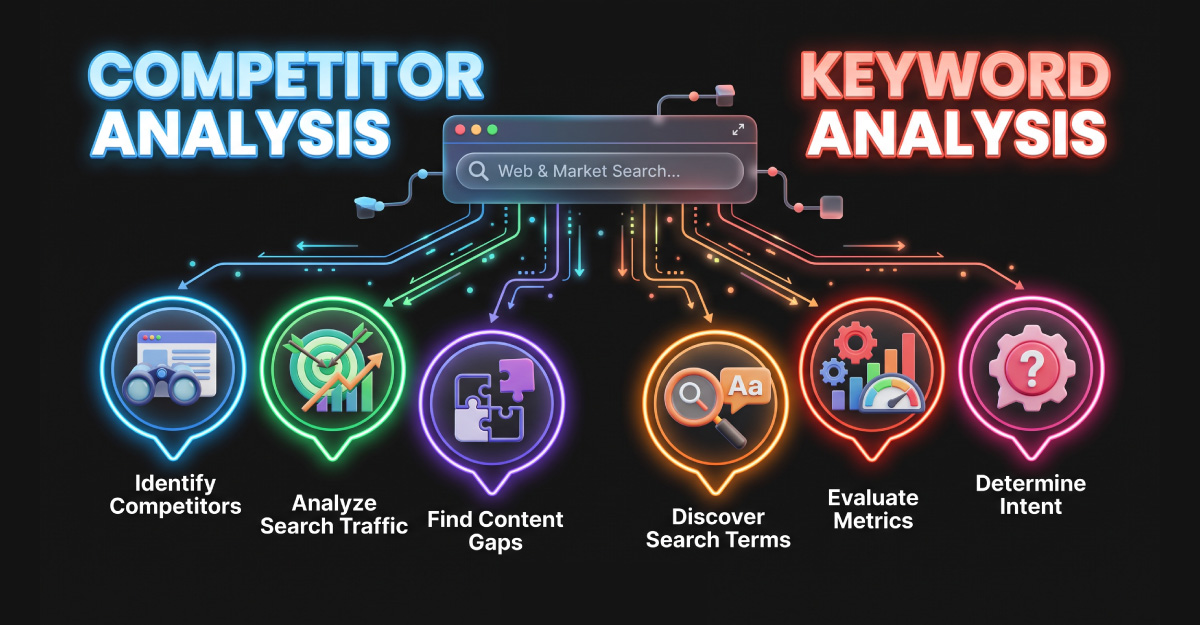
Competitor keyword analysis gives that investigation a structure. It helps you discover relevant search topics and decide which deserve your attention.
The goal is to produce a workable content plan. A spreadsheet containing thousands of phrases is only an input. The valuable output is a clear decision about what to improve, what to create, and what to leave alone.
What Is Competitor Keyword Analysis?
Competitor keyword analysis examines the search terms other websites rank for and compares them with your own coverage. It can reveal missing topics and gaps within existing pages.
Your search competitors may differ from your business competitors. A software vendor, tutorial publisher, and consultant can appear for the same question while selling different things.
Start with websites competing for the audience and topics you want to reach. Then use keyword data to investigate opportunities relevant to your business.
What Can This Research Help You Decide?
A comparison can reveal subjects you have overlooked. It can also identify opportunities to improve an existing resource instead of publishing a new one.
Consider a digital services website with an article about workflow automation. Research might suggest that readers also need explanations of ongoing maintenance or integration costs.
Those observations are hypotheses. Check whether the questions fit your audience and whether your team can answer them accurately. The presence of a topic on another website is a reason to investigate it.
Step 1: Define the Scope Before Collecting Keywords
Choose the part of your business you are researching. “Everything related to marketing” is difficult to turn into a useful assignment. “Questions asked before hiring an automation consultant” is more manageable.
Write a short research brief containing the intended audience, service, target region, and decision you want the research to support.
For example: “Identify subjects that help small service businesses understand whether they need lead follow-up automation.” This keeps the investigation connected to a real customer problem.
Decide whether you are researching informational content, service pages, or both. Keep the distinction visible throughout the process.
Step 2: Identify Relevant Search Competitors
Search for several representative topics and record websites that repeatedly appear. Review them manually to confirm they serve a relevant audience.
An illustrative starting list might include “automated lead follow-up,” “CRM setup for small businesses,” and “website enquiry automation.” These examples are not researched keyword opportunities.
Keep a brief note explaining why each competitor belongs in your comparison. Does it answer the same customer questions? Offer a related service? Publish detailed tutorials?
For a focused initial project, a few carefully chosen websites are easier to evaluate than a long list of unrelated domains.
Step 3: Collect Keyword and Page Data
Tools such as Ahrefs and SE Ranking provide competitor research and keyword comparison capabilities. Use their available reports to collect candidate queries and ranking URLs.
For your working sheet, record the query, competitor page, target location, and date of collection. Include the available demand and difficulty estimates.
Keep source details with each observation. If two reports disagree, you will be able to see whether the difference came from a location setting, date, or dataset.
Inspect the page behind the keyword. A domain-level number does not tell you what the individual resource actually covers.
Step 4: Clean the List and Separate the Opportunities
Remove terms unrelated to your audience or offering. Organize useful candidates into groups sharing a topic or intent.
For this workflow, label each candidate as a potential new page, an existing-page improvement, or a topic to investigate later.
Check your own website before assigning the label. A missing ranking in a third-party report does not establish that you have no relevant content.
Keep a “reason for exclusion” column. Recording why you rejected a phrase prevents someone from repeating the same investigation next month.
Step 5: Inspect Search Intent and Page Quality
Search intent concerns what the reader wants to accomplish. Review the current results to see whether the query leads mainly to tutorials, comparisons, services, or another type of resource.
Then examine the pages themselves. What question does each one answer? Which examples make the explanation useful? What remains unclear?
For a tutorial, test whether the instructions are understandable. For a service page, check whether the offer and next step are clear.
Look for an improvement you can genuinely provide, such as a clearer setup example, a documented limitation, or a more useful decision table. Adding words without improving the answer does not solve a content gap.
Step 6: Prioritize Topics You Can Usefully Address
Evaluate business relevance, search intent, demand, and ranking difficulty together. A high-volume topic may be a poor fit, while a narrower question may support an important customer decision.
Difficulty metrics are estimates. Review the actual competing pages and the effort needed to create a useful alternative.
A practical editorial review can use the following questions:
| Question | What to record |
|---|---|
| Does the subject fit our audience? | The customer problem and relevant service. |
| What does the searcher need? | The intended answer and page format. |
| What can we contribute? | A concrete example, explanation, or useful resource. |
| Can we maintain the page? | The owner and likely update requirements. |
| How will we assess the result? | A relevant engagement or enquiry measure. |
Choose a small set of tasks you can finish well. Leave unresolved candidates in a research queue rather than turning every phrase into a publishing deadline.
Turn the Research Into a Content Brief
A content brief should tell the writer what the reader needs and what makes the planned page useful. Include the main topic, audience, expected format, and questions to answer.
Add factual verification requirements and the evidence or examples your team can supply. If a section depends on testing a tool, assign that work before drafting.
Use competitor pages to understand the available coverage, then build your own explanation. Choose an order that suits your reader rather than reproducing another article’s outline.
For OptivSoft, an automation article could include a sample enquiry process, the decisions needed before connecting tools, and a maintenance checklist. These practical additions should reflect knowledge the team can support.
A Simple Example of a Keyword Research Plan
Suppose a service website already has a general automation page. The following hypothetical plan shows how related topics could receive different editorial decisions.
| Illustrative query | Possible reader need | Editorial decision |
|---|---|---|
| What is workflow automation? | Understand the concept. | Review the existing introductory guide. |
| Automation implementation costs | Understand budget factors. | Consider a cost guide with stated assumptions. |
| Automation consultant | Evaluate professional help. | Improve the relevant service page. |
| How to prevent duplicate CRM contacts | Solve a particular problem. | Consider a tested tutorial. |
No search volumes or difficulty scores are claimed here. Those would need research in the chosen market. The example demonstrates how a query becomes an editorial task.
What If You Do Not Have a Paid SEO Tool?
You can begin with a manual review. Search selected topics, record visible results, and read the competing pages. Build a list of questions and possible improvements.
Your own Search Console data can provide another perspective on queries already bringing visibility to your website. It does not expose a competitor’s private performance data.
Label manual observations honestly. Seeing a page in one search result does not reveal its monthly traffic or complete ranking history.
Use the first round to refine your questions. If you later invest in a research tool, you will have a clearer purpose for the data.
Common Mistakes to Avoid
Assuming competitor traffic equals business value: You cannot infer profitable customers from a ranking alone. Keep your own audience and offer central to the decision.
Targeting another company’s brand without a purpose: A competitor’s branded query may have little relevance to your website. Explain why the page would help the searcher before including it.
Creating a page for every variation: Similar queries can share an underlying need. Check whether one coherent resource can answer them.
Copying content structure: Research should inform your understanding. Write a page with its own examples, evidence, and editorial purpose.
Ignoring update effort: Pricing comparisons and technical tutorials need maintenance. Assign ownership before making them part of your content plan.
How to Review Progress
Record the page changes and publication dates. Review impressions, clicks, and relevant outcomes over time, using consistent settings where possible.
If visitors arrive but do not find a useful next step, examine the page experience and relevance. If the page receives little visibility, reassess its coverage and the broader technical context.
Repeat research when your services or audience change, or when you need evidence for the next content decision. Treat the process as an editorial habit rather than a one-time export.
Frequently Asked Questions
Common Question
These answers explain how to use competitor data without letting another website’s strategy determine your own.
It examines queries competing websites rank for and compares them with your coverage. The aim is to identify relevant topics and improvements worth investigating.
No. Publishers, software companies, and service providers can compete for the same searches. Choose websites relevant to the audience and topics you want to reach.
It is a difference between the keywords or coverage of your website and the comparison sites. Check whether the difference represents a useful new topic or an improvement to existing content.
No. Filter candidates by audience fit, business relevance, intent, and feasibility. Some queries are unrelated, brand-specific, or outside the subjects you can usefully address.
Yes, through manual search-result and page reviews. That approach provides observations rather than a comprehensive competitor dataset. Keep its limitations clear.
No. It is an estimate that supports research. Review competing pages, relevance, and the quality of what you can produce before selecting a topic.
Check whether the existing page can satisfy the same reader need. Update it when the topic fits; create a separate resource when it requires a meaningfully different answer.
